Guardrails
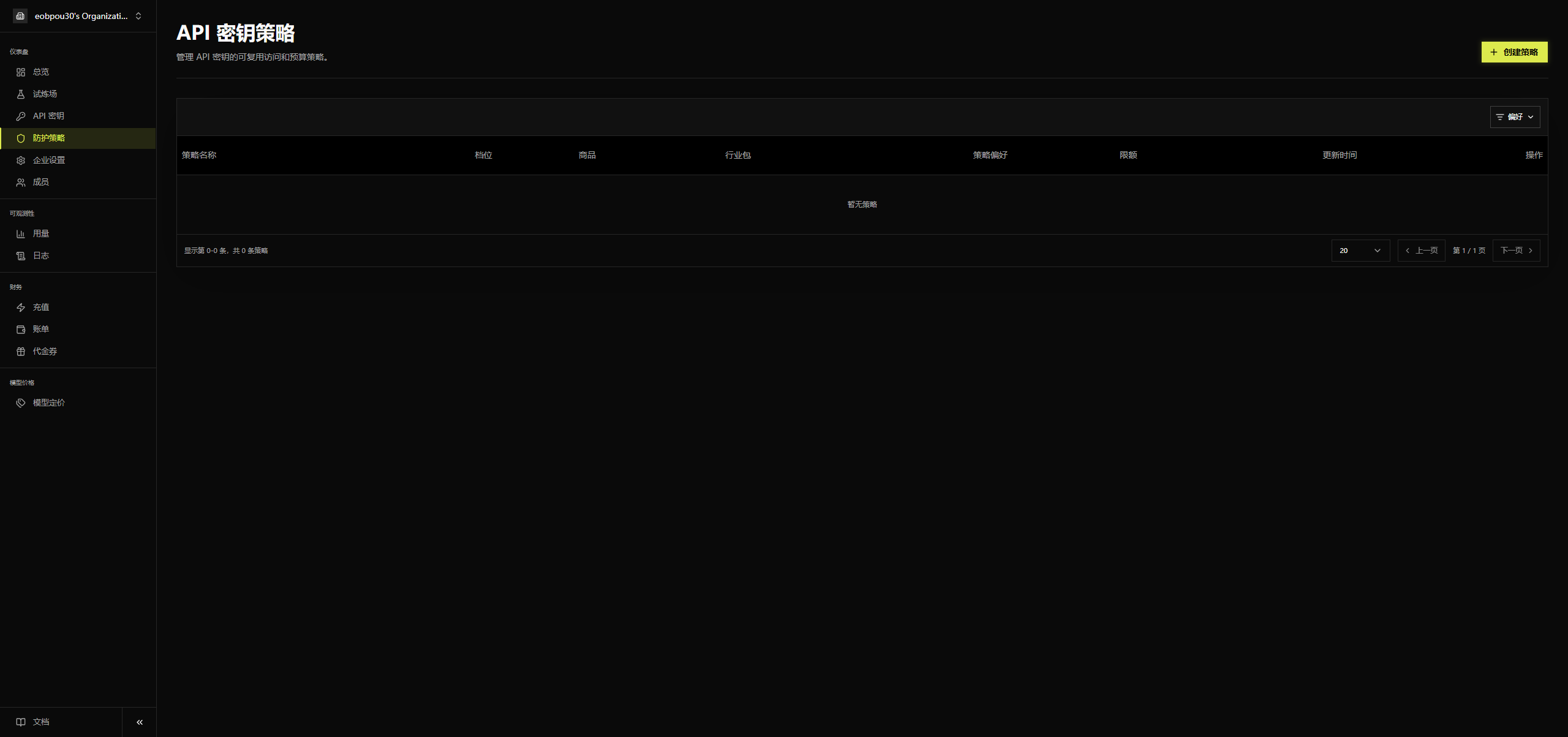
The Guardrails menu lets you manage reusable access and budget policies for API keys.
Policy list fields: Policy Name, Tier, Product, Industry Pack, Policy Preference, Quota, Updated Time, Actions, and you can also view the disabled model count and IP rule count.
Create Policy
Click Create Policy in the upper-right corner to open the creation dialog.

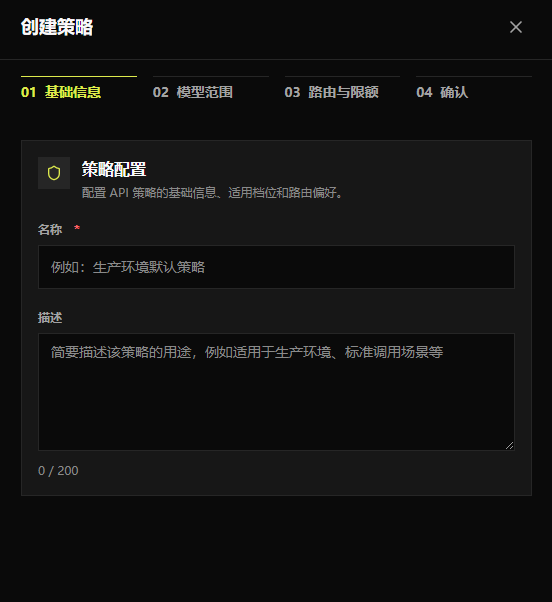
Step 1: Enter the policy name

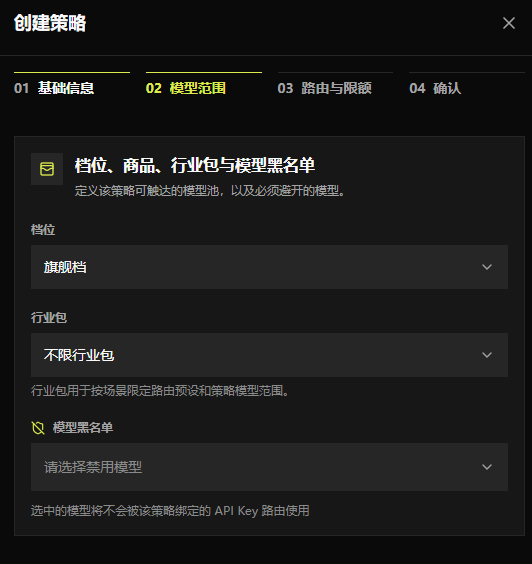
Step 2: Set the model scope
- Tier: Choose Flagship, Standard, Economy, or Auto mode (intelligent routing decides on demand)
- Industry Pack: Choose Customer Service, Software Development & Tools, Content Generation, or Finance & Compliance; unrestricted industry pack is also supported
- Model Blacklist: The selected models will not be used by keys generated under this policy

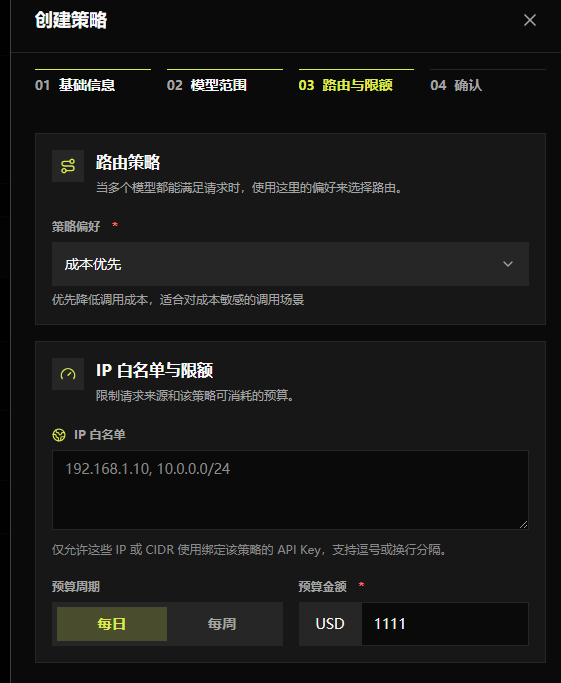
Step 3: Routing and quota settings
- Policy Preference: The priority used when intelligently selecting models; currently supports Cost First, Quality First, Speed First, or Balanced mode
- IP Whitelist: After specifying IPs, a key generated under this policy cannot be used if the user’s IP is not in the whitelist
- Budget Cycle: Once set, a generated key can no longer be used after its billing reaches the budget; supports daily and weekly settings. Note: daily and weekly cannot be set at the same time—choose one

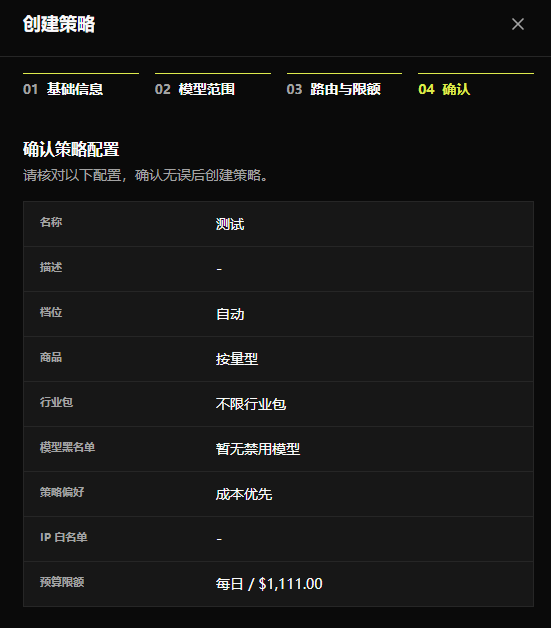
Step 4: Final confirmation
- Confirm the policy configuration; review the settings and create the policy once everything is correct

Policy List
Supports filtering by parameter and by status. The «⋮» on each row lets you manage that policy.
Displayed fields: Policy Name, Tier, Product, Industry Pack, Policy Preference, Quota, Actions, and more.
Clicking Actions shows a dropdown with View, Edit, and Delete:
- View: View the policy configuration, tier, industry pack, policy preference, IP whitelist, budget cycle, budget amount, and other details
- Edit: Modify the current policy configuration. Note: it cannot be updated if the policy is being used by an active API Key
- Delete: Delete the current policy. Note: it cannot be deleted if the policy is being used by an active API Key