
Create API Keys
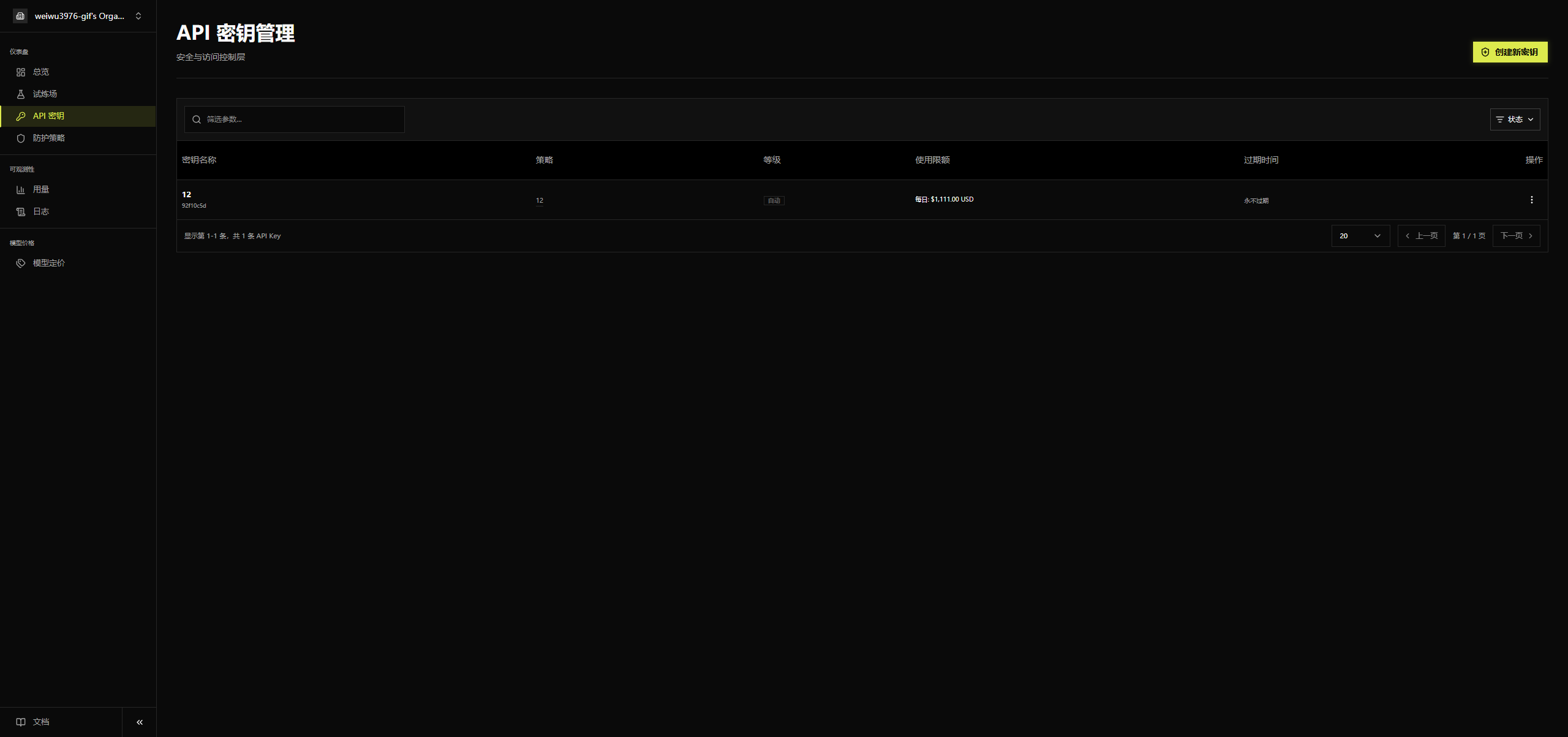
After an administrator creates a protection policy, open the API Keys menu. This page is used to create and manage API keys.
Create a Key
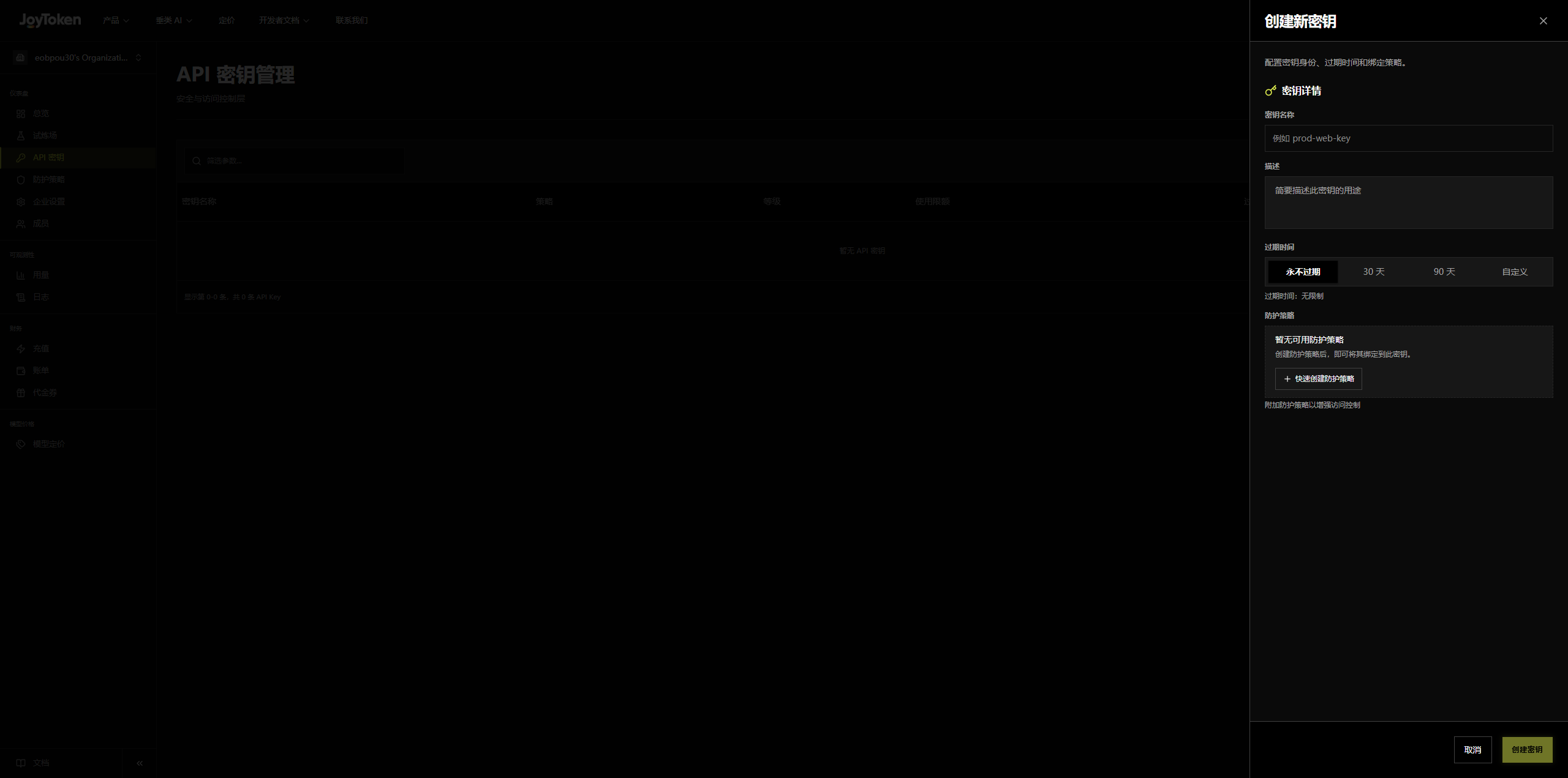
Click Create New Key in the top-right corner to open the creation dialog, then fill in the following as needed:
- Key Name
- Expiration Time: e.g., never expire, 30 days, 90 days, or a custom time
- Protection Policy: policies already created under the Protection Policies menu are automatically pulled into the dropdown
Key List
Filter by parameters or status, and open the row menu «⋮» to manage a key.
Displayed fields: Key Name, Policy, Level, Usage Quota, Expiration Time, Actions.
Clicking Actions opens a dropdown with “Details” and “Revoke”:
- Details: view the key’s identity information, ID, creation time, key prefix, policy configuration, and more.
- Revoke: invalidate the current key; a revoked key can no longer be used to call the API.


Playground for Online Testing
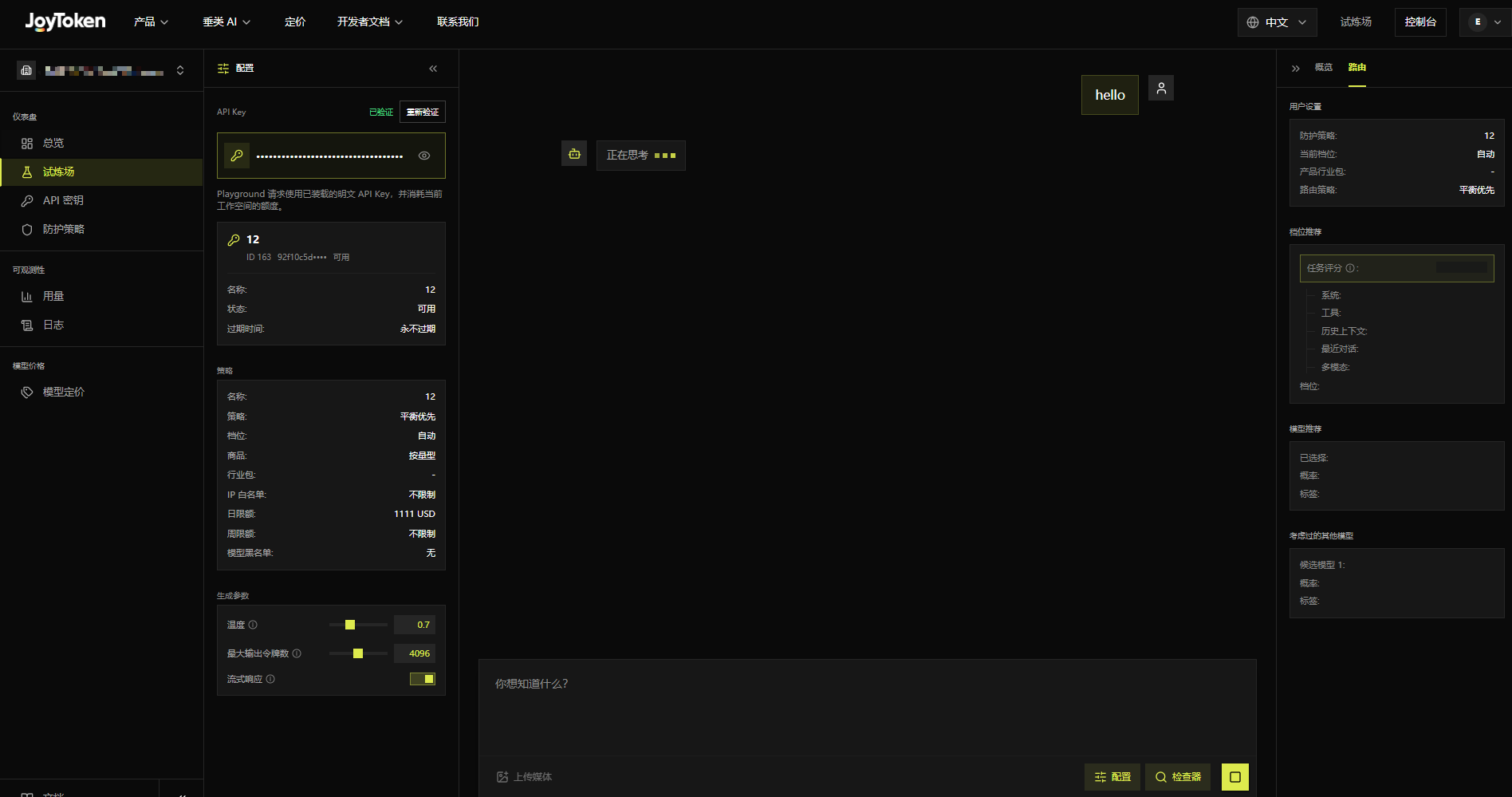
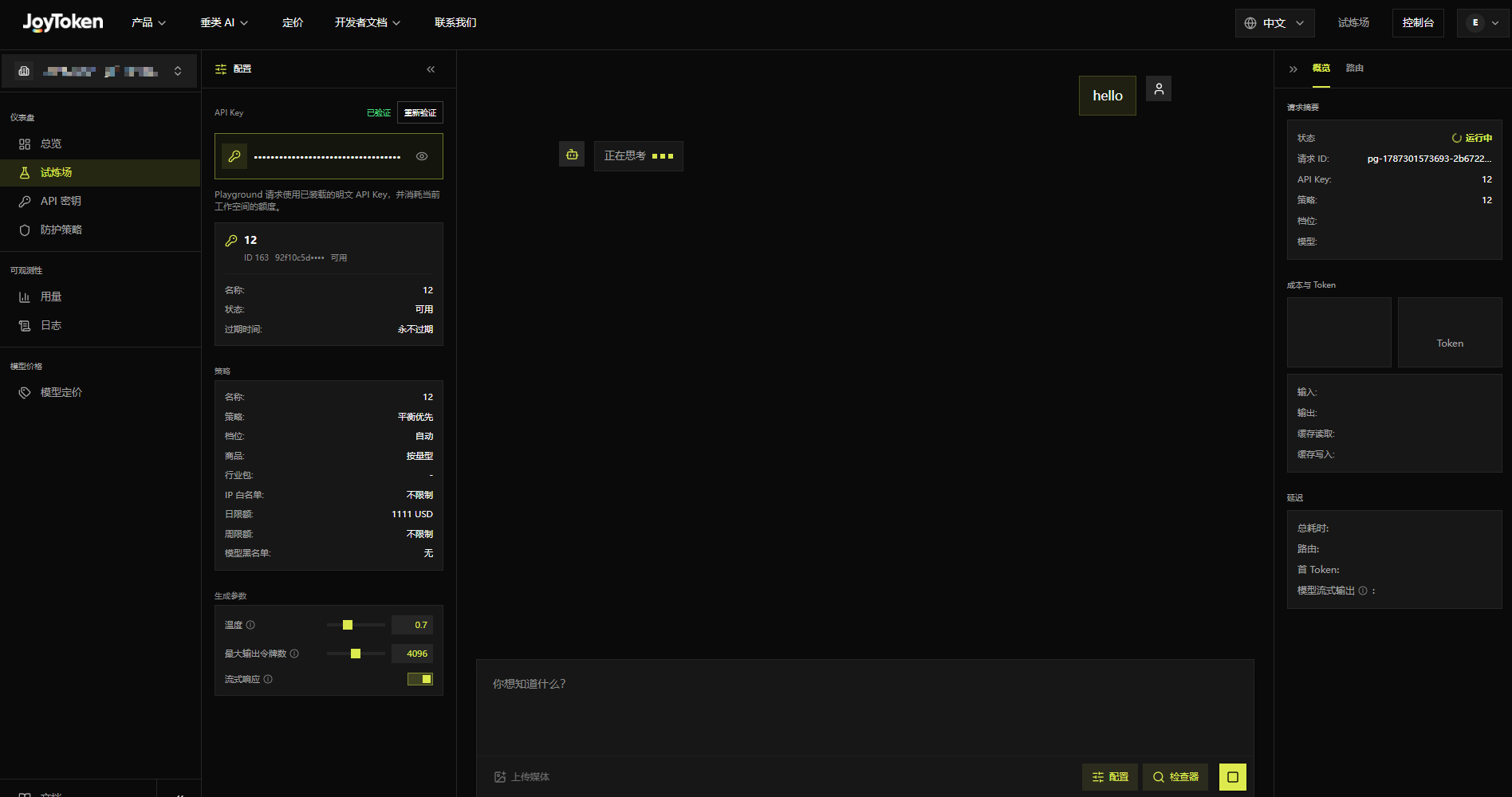
The Playground is a built-in online testing tool that lets you chat with models directly without writing any code, ideal for quickly verifying whether a key works.
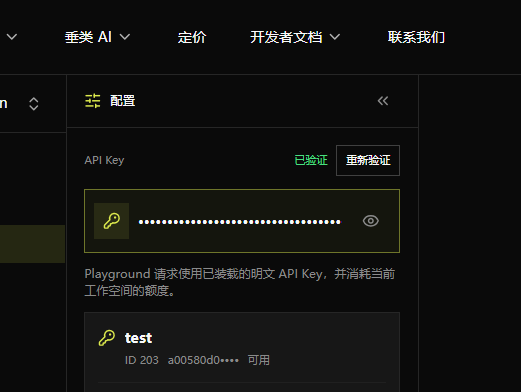
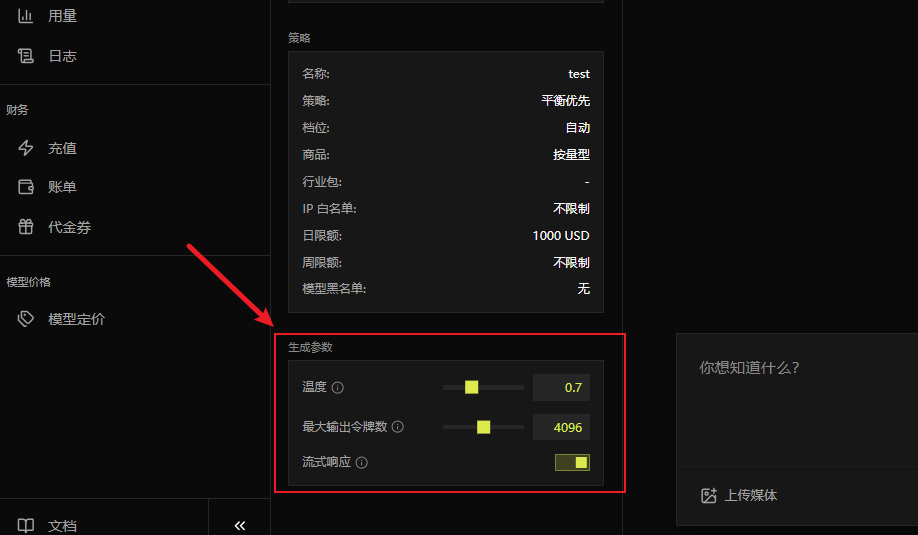
- Left Panel: Verify the API Key; review the selected policy’s tier, product, industry pack, IP whitelist, quota, and model blacklist; configure temperature, maximum output tokens, and streaming.
- Conversation Area: Enter prompts, upload media, toggle configuration or inspector, and send.
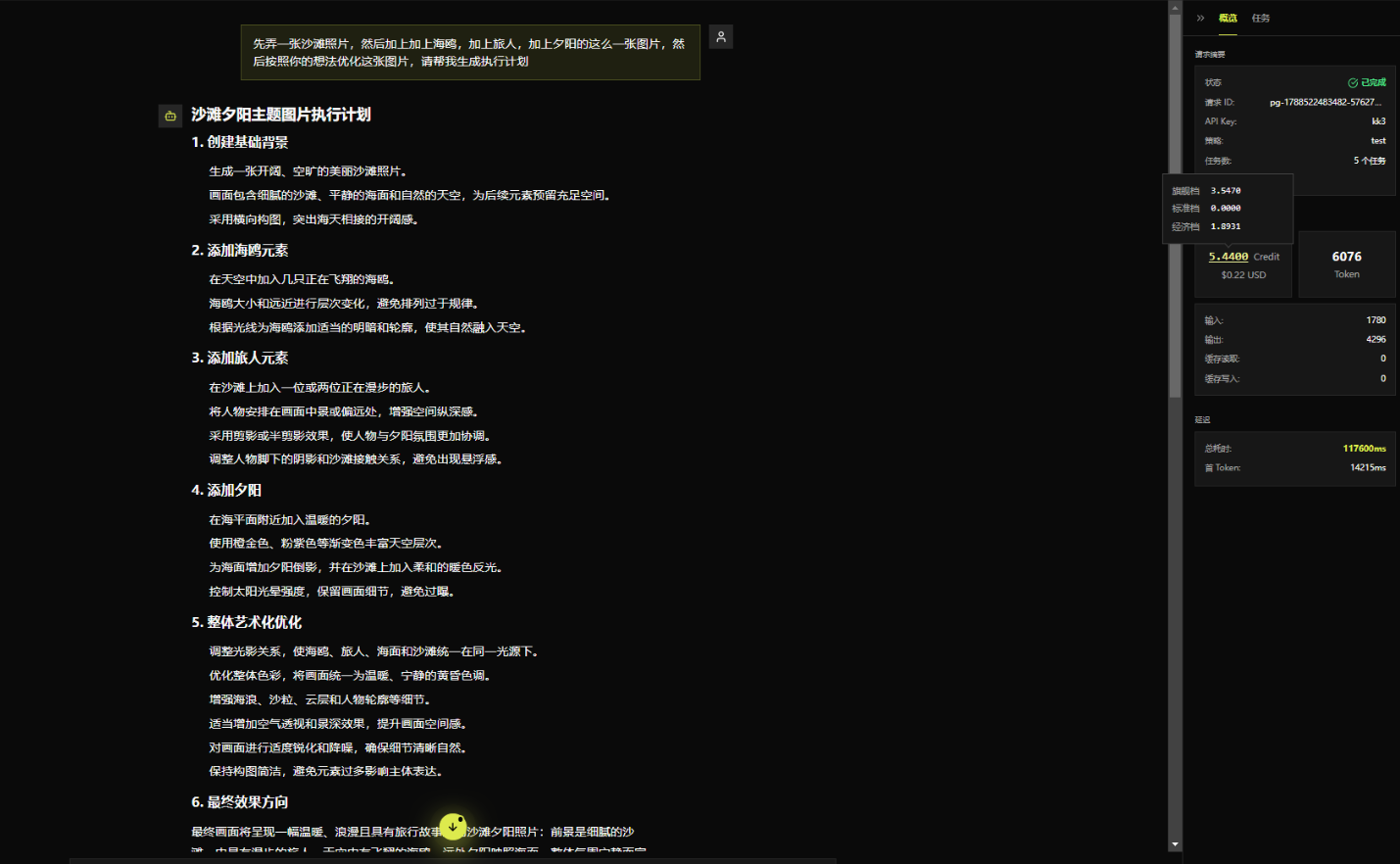
- Overview Panel: Request status, request ID, key, policy, tier, model, cost, tokens, and latency details.
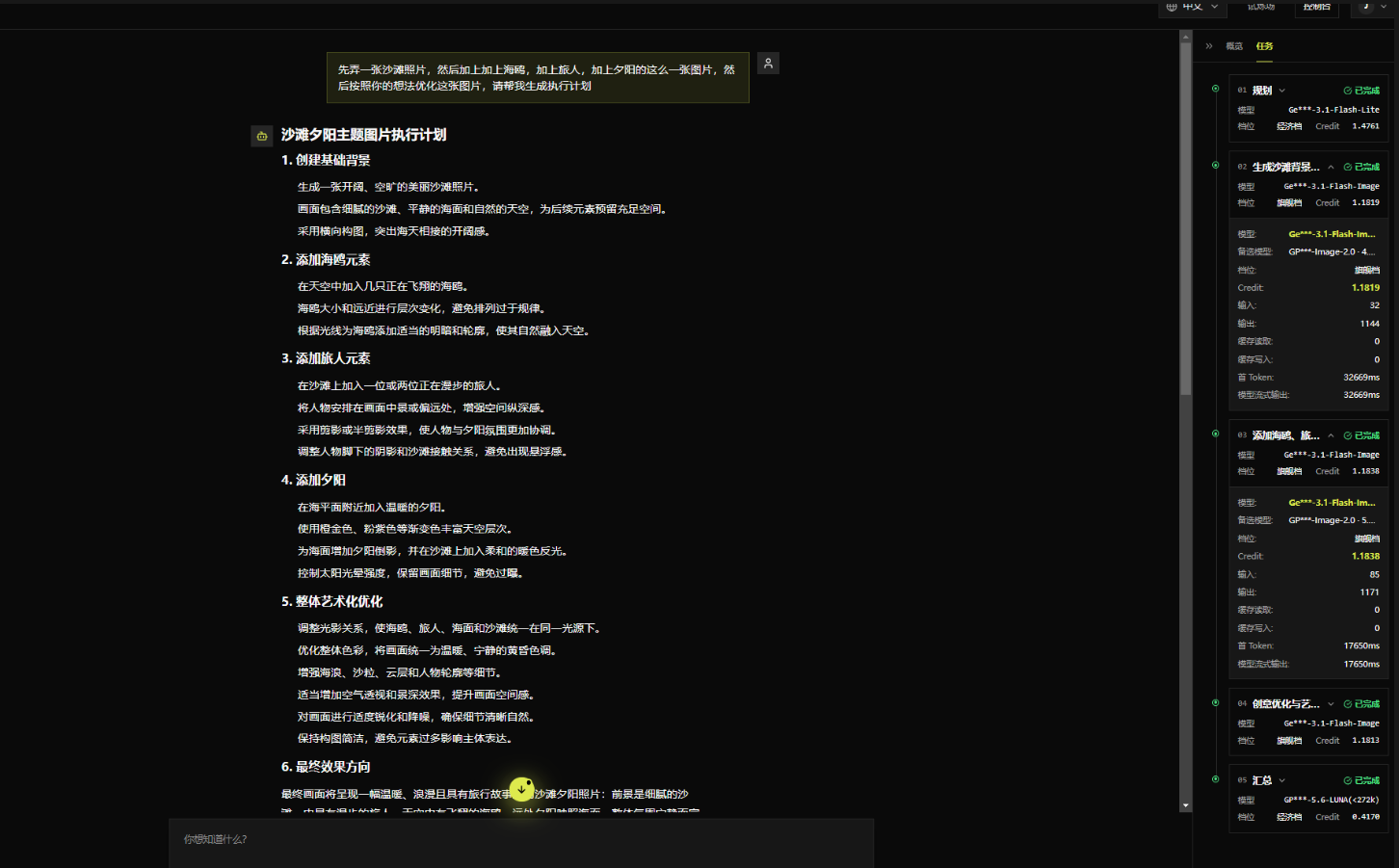
- Routing Panel: User settings, tier recommendation and scoring, selected model, hit probability, tags, and candidate models.


Playground Operations
API Key Verification: Before using the Playground, the entered key must be verified as valid. When a key is created successfully for the first time and you are redirected from API management, no input is required and the system verifies it automatically. After entering a key, click “Verify API Key”; the verification result is shown above the input box.

Generation Parameters - Temperature: Controls randomness. Lower values are more stable, higher values are more divergent. Defaults to 0.7, applies to the Playground only.

Max Output Tokens: Limits the maximum length of the model’s reply for this request. If exceeded, the model cannot output a result. Currently defaults to 4096, applies to the Playground only.
Streaming Response: When enabled, content is returned as it is generated, which is better suited for long replies and real-time preview; when disabled, the system waits for the complete response and returns it all at once. Currently enabled by default, applies to the Playground only.
API Call Examples
Configure the Client
Fill the copied address into your client or code as the base_url, then use it together with your key to start making calls.
Code Examples
TypeScript (OpenAI SDK):
Non-streaming:
Streaming:
Claude native format: